


.png?width=274&height=200&scale=canvas)


.png?width=500?width=274&height=200&scale=canvas)

.png?width=274&height=200&scale=canvas)

.png?width=274&height=200&scale=canvas)


Graphics Cards
Upgrade your setup with the latest NVIDIA GeForce RTX 50 Series and AMD Radeon RX 9000 Series graphics cards.
Depending on what you need from your build, these cards generally fall into three tiers:
- Budget: Great for everyday gaming (e.g. RTX 5060).
- Mid-range: A powerful step up for more demanding titles (e.g. RTX 5070, RX 9070).
- Flagship: The ultimate choice for maximum performance (e.g. RTX 5080, RTX 5090).
Not sure which one is right for you? Check out our NVIDIA or AMD buying guides.
Which NVIDIA RTX card do I need?
Find the right card for your resolution and budget

Which AMD Radeon card do I need?
Choose between Radeon 9000 Series cards






Filters & Sort
Loading...

£634.99
ADD TO BASKET
.png)
£769.99
ADD TO BASKET
£563.99
ADD TO BASKET

£759.99
ADD TO BASKET
.png)
£475.99
ADD TO BASKET
£1,129.99
ADD TO BASKET

£423.99
SAVE £54
ADD TO BASKET

£243.99
ADD TO BASKET

£1,199.99
ADD TO BASKET

£17,999.99
ADD TO BASKET

£7,299.99
ADD TO BASKET
.png)
£783.99
ADD TO BASKET

£395.99
ADD TO BASKET

£697.99
ADD TO BASKET

£16,999.99
ADD TO BASKET

£879.99
ADD TO BASKET

£7,266.99
ADD TO BASKET

£7,300.99
ADD TO BASKET
£722.99
ADD TO BASKET
_boxCard.png)
£55.99
ADD TO BASKET
.png)
£229.99
ADD TO BASKET

£8,568.99
ADD TO BASKET

£7,299.99
ADD TO BASKET

£7,999.99
ADD TO BASKET
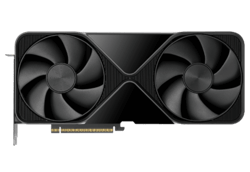
16GB GDDR6 GRAPHICS MEMORY
PCI EXPRESS 5.0 X16 INTERFACE
OUTPUTS - HDMI AND DISPLAY PORT
£634.99
ADD TO BASKET
16GB GDDR6 GRAPHICS MEMORY
PCI EXPRESS 5.0 X16 INTERFACE
OVERCLOCKED EDITION
OUTPUTS - HDMI AND DISPLAY PORT
£769.99
ADD TO BASKET
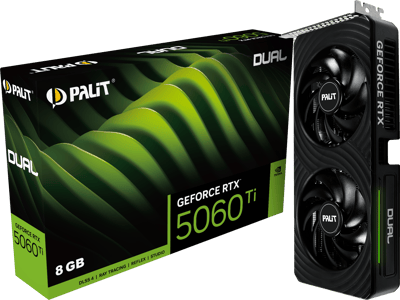
8GB GDDR7 GRAPHICS MEMORY
PCI EXPRESS 5.0 X8 INTERFACE
OUTPUTS - HDMI AND DISPLAY PORT
£563.99
ADD TO BASKET
16GB GDDR6 GRAPHICS MEMORY
PCI EXPRESS 5.0 X16 INTERFACE
OUTPUTS - HDMI AND DISPLAY PORT
£759.99
ADD TO BASKET
8GB GDDR7 GRAPHICS MEMORY
PCI EXPRESS 5.0 X16 INTERFACE
OVERCLOCKED EDITION
OUTPUTS - HDMI AND DISPLAY PORT
£475.99
ADD TO BASKET
16GB GDDR7 GRAPHICS MEMORY
PCI EXPRESS 5.0 X16 INTERFACE
OVERCLOCKED EDITION
OUTPUTS - HDMI AND DISPLAY PORT
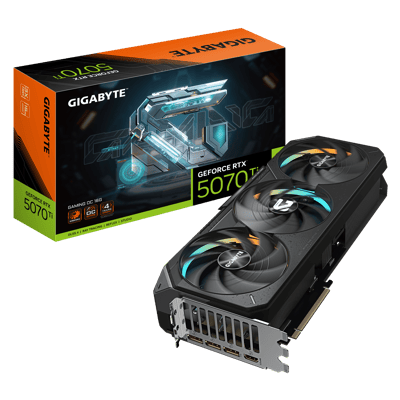
£1,129.99
ADD TO BASKET
12GB GDDR6 GRAPHICS MEMORY
PCI EXPRESS 4.0 X16 INTERFACE
OVERCLOCKED EDITION
OUTPUTS - HDMI AND DISPLAY PORT
£423.99
SAVE £54
ADD TO BASKET
6GB GDDR6 GRAPHICS MEMORY
PCI EXPRESS 4.0 X8 INTERFACE
OVERCLOCKED EDITION
OUTPUTS - HDMI AND DISPLAY PORT
£243.99
ADD TO BASKET
16GB GDDR7 GRAPHICS MEMORY
PCI EXPRESS 5.0 X16 INTERFACE
OVERCLOCKED EDITION
OUTPUTS - HDMI AND DISPLAY PORT
£1,199.99
ADD TO BASKET
96GB GDDR7 GRAPHICS MEMORY
PCI EXPRESS 5.0 X16 INTERFACE
COOLER TYPE - ACTIVE FAN
OUTPUTS - DISPLAY PORT
£17,999.99
ADD TO BASKET
32GB GDDR7 GRAPHICS MEMORY
PCI EXPRESS 5.0 X16 INTERFACE
OVERCLOCKED EDITION
OUTPUTS - HDMI AND DISPLAY PORT
£7,299.99
ADD TO BASKET
16GB GDDR6 GRAPHICS MEMORY
PCI EXPRESS 5.0 X16 INTERFACE
OUTPUTS - HDMI AND DISPLAY PORT
£783.99
ADD TO BASKET
8GB GDDR6 GRAPHICS MEMORY
PCI EXPRESS 5.0 X8 INTERFACE
OVERCLOCKED EDITION
OUTPUTS - HDMI AND DISPLAY PORT
£395.99
ADD TO BASKET
16GB GDDR7 GRAPHICS MEMORY
PCI EXPRESS 5.0 X8 INTERFACE
OUTPUTS - HDMI AND DISPLAY PORT
£697.99
ADD TO BASKET
96GB GDDR7 GRAPHICS MEMORY
PCI EXPRESS 5.0 X16 INTERFACE
COOLER TYPE - ACTIVE FAN
OUTPUTS - DISPLAY PORT
£16,999.99
ADD TO BASKET
16GB GDDR6 GRAPHICS MEMORY
PCI EXPRESS 5.0 X16 INTERFACE
OVERCLOCKED EDITION
OUTPUTS - HDMI AND DISPLAY PORT
£879.99
ADD TO BASKET
32GB GDDR7 GRAPHICS MEMORY
PCI EXPRESS 5.0 X16 INTERFACE
OUTPUTS - HDMI AND DISPLAY PORT
£7,266.99
ADD TO BASKET
32GB GDDR7 GRAPHICS MEMORY
PCI EXPRESS 5.0 X16 INTERFACE
OUTPUTS - HDMI AND DISPLAY PORT
£7,300.99
ADD TO BASKET
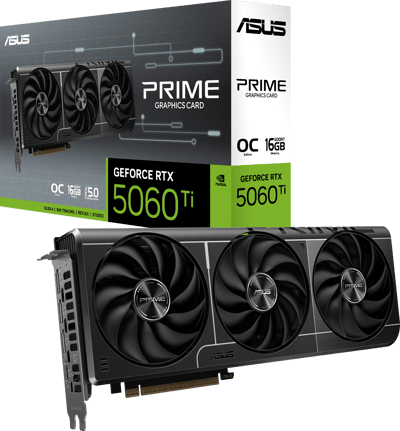
16GB GDDR7 GRAPHICS MEMORY
PCI EXPRESS 5.0 X8 INTERFACE
OVERCLOCKED EDITION
OUTPUTS - HDMI AND DISPLAY PORT
£722.99
ADD TO BASKET
PCI EXPRESS 2.0 X16 INTERFACE
COOLER TYPE - PASSIVE
LOW PROFILE
OUTPUTS - HDMI, DVI AND VGA
£55.99
ADD TO BASKET
6GB GDDR6 GRAPHICS MEMORY
PCI EXPRESS 4.0 X16 INTERFACE
COOLER TYPE - WINDFORCE
OVERCLOCKED EDITION
£229.99
ADD TO BASKET
32GB GDDR7 GRAPHICS MEMORY
PCI EXPRESS 5.0 X16 INTERFACE
OVERCLOCKED EDITION
OUTPUTS - HDMI AND DISPLAY PORT
£8,568.99
ADD TO BASKET
32GB GDDR7 GRAPHICS MEMORY
PCI EXPRESS 5.0 X16 INTERFACE
COOLER TYPE - WATERBLOCK
OUTPUTS - HDMI AND DISPLAY PORT
£7,299.99
ADD TO BASKET
32GB GDDR7 GRAPHICS MEMORY
PCI EXPRESS 5.0 X16 INTERFACE
OUTPUTS - HDMI AND DISPLAY PORT
£7,999.99
ADD TO BASKET
What specifications should you look for in a graphics card?
In order to select the best graphics card for your purposes, there are several things you should look for in the card’s specifications.
We’ve detailed the key specifications you should pay attention to below.
Graphics card memory
- VRAM is one of the most critical specs to get right.
- For a comfortable 1080p experience at high settings, 8GB is the absolute minimum.
- If you're stepping up to 1440p, you'll want 12GB as a practical baseline for modern AAA titles, while 16GB or more is the way to go for 4K.
- You'll see professional workstation cards with much higher capacities, some reaching up to 96GB, but for gaming, 12 to 16GB will cover the vast majority of your needs for this generation and beyond.
- Note - it’s possible to buy graphics cards with as much as 24GB of memory, but as you’d expect, these are the costly top-of-the-range models.
Form factor
- It’s easy to get carried away and select a graphics card based on its sheer graphical processing power, only to find it doesn’t fit in your PC case…
- So, pay attention to form factor!
- Check the length, height and thickness of your chosen graphics card.
- It’s possible to buy slim (also known as half-height), as well as single-slot, dual-slot and triple slot formats, so make sure you know what type you’re getting.
- At present, the top end graphics cards are all quite sizable, due to their fans and heat sinks.
- It is also possible to get newer graphics cards which have a smaller form factor.
Power connectors
- How will your chosen graphics card draw power? And how much power will it draw?
- These are really important questions to answer, as graphics cards tend to be quite power hungry and will typically require more power than the 75W that is generated by the x16 PCIe slot.
- Many graphics cards will need to use additional PCIe power connectors.
- So, you should make sure that your PC’s power supply has the additional connectors that your chosen graphics card requires. If it doesn’t, then you’ll need to upgrade your PSU.
- Note - you will need to check what type of PCIe power connectors that your graphics card comes with. For example, some RTX 50-series graphics cards use the 12V-2x6 power connector. Depending on your power supply, you may require an adaptor, such as an 8-pin to 12V-2x6 adaptor.
Thermal design power (TDP)
- Thermal design power is another power-related consideration. It’s not only a measure of heat dissipation, but provides you with an estimate of how many watts you’ll need to power your graphics card at standard settings.
- Thermal design power can also be helpful in calculating what type of power supply unit you require when you are using a graphics card, especially one which is overclocked.
Ports
- It’s really important to ensure that the graphics card you purchase has the right connectors for your monitor.
- The majority of monitors these days will have a HDMI port, however newer monitors are increasingly coming with DisplayPort ports too.
- You may find that if your monitor is particularly old, you may need to use an adaptor if available, otherwise you would need to upgrade to a new monitor.
Clock speed
- If you’re particularly concerned about frame rates, then you’ll want to check your prospective graphics card’s clock speed.
- Some manufacturers will overclock their graphics cards, which can provide a 3-5% difference in frame rates.
- However, clock speed isn’t the be all and end all of performance considerations. Things like cooling performance, core counts and architecture all also make a difference to the performance of a graphics card.
TFLOPS
- TFLOPS is another common way to gauge graphics card performance.
- It stands for “trillions of floating-point operations per second” and is calculated by multiplying the core count by the clock speed, then doubling that figure.
- Just keep in mind that you shouldn't compare TFLOPS directly across different architectures or generations. Because of improvements in architectural efficiency, a TFLOPS figure on an older card won't deliver the same real-world performance as the same figure on a newer one.
Frequently asked questions
What is a graphics card?
Put simply, your graphics card (or GPU) is the part of your PC that handles everything you see on your screen. It takes the complex data from your system and renders it into a signal your monitor can actually display. While some processors have "integrated graphics" built-in, most gamers opt for a "discrete card"—a dedicated piece of hardware that slots into your motherboard to provide significantly more power.
How much VRAM do I need for gaming in 2026?
The amount of VRAM you need depends on your monitor's resolution. For 1080p, 8GB (such as an RTX 5060) is plenty for high settings, while 12GB (such as an RTX 5070 or RX 9070) is the practical baseline for today's titles at 1440p. For 4K gaming and content creation, 16GB or more (such as an RTX 5070 Ti, RTX 5080, or RX 9070 XT) is highly recommended to keep things smooth.
Who actually makes graphics cards?
The core technology is designed by three main players: NVIDIA, AMD, and more recently, Intel (Arc). These companies license their designs to partner brands like ASUS, MSI, Gigabyte, and Palit, who then build their own versions. Because they all use the same core reference design, the main differences between brands are usually the cooling systems and factory overclocks.
How much do graphics cards cost?
Prices vary wildly depending on the performance you need, typically ranging from around £200 for entry-level kit up to £2,000+ for the flagships. Budget options like the RTX 5060 or RX 9060 are ideal for 1080p, while mid-range cards such as the RTX 5070 and RX 9070 are perfect for 1440p. High-end models like the RTX 5070 Ti and RX 9070 XT are great for high-refresh 1440p and capable 4K, whereas flagships like the RTX 5080 and RTX 5090 are built for full 4K and beyond.
What is the best graphics card for 1440p gaming in 2026?
For those wanting "Ultra" settings at 1440p, the RTX 5070 is currently the top mid-range choice, especially if you want to use DLSS 4 Multi Frame Generation to boost your frame rates. If you're looking for similar performance but want to save a bit of money, the AMD RX 9070 XT is a fantastic alternative. Both will handle high-refresh 1440p gaming with ease.
RTX 5080 or RX 9070 XT — which should I choose?
These cards actually target different goals. The RTX 5080 is a powerhouse designed for 4K ultra gaming, and it leaves the 9070 XT behind when it comes to ray tracing and AI tasks like DLSS 4. The RX 9070 XT is more of a 1440p specialist that can handle 4K at medium-to-high settings. Go for the RTX 5080 if you're building a 4K rig or want maximum future-proofing, or choose the RX 9070 XT if 1440p is your target and you want better value for your money.
Do I need a specific power supply for a new graphics card?
Yes, you do. Modern GPUs draw far more power than the motherboard slot can provide, so they need dedicated power cables from your PSU. Requirements vary; for example, an RTX 5060 usually pairs well with a 550W unit, but a flagship like the RTX 5090 will need at least 1000W. Always double-check the recommended wattage and the specific connector types for your card before you buy.
What graphics card do I need for VR gaming?
Because VR requires a very high, stable frame rate to prevent motion sickness, we suggest an RTX 5060 Ti or RX 9070 as a sensible starting point. If you're using one of the newer, high-resolution headsets, you'll likely need a higher-tier card to keep the experience smooth and immersive.