


.png?width=274&height=200&scale=canvas)


.png?width=500?width=274&height=200&scale=canvas)

.png?width=274&height=200&scale=canvas)

.png?width=274&height=200&scale=canvas)


Gaming monitors
Unlock smoother gameplay, sharper visuals, and faster reactions with a monitor built for cutting-edge games. Whether you're into competitive FPS, immersive RPGs, or ultra-realistic sims, we've got high-performance displays with the specs that matter - high refresh rates, low response times, 4K resolution, OLED panels, and FreeSync support
Top monitor picks
Your setup deserves nothing less than excellence, and that's exactly what you'll find right here
Monitors buying guide
If you don't know your dpi from your hz, we break down everything you need to know
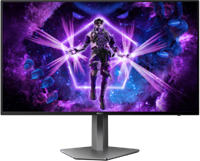
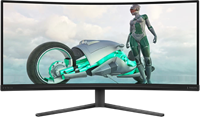
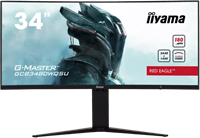

Filters & Sort

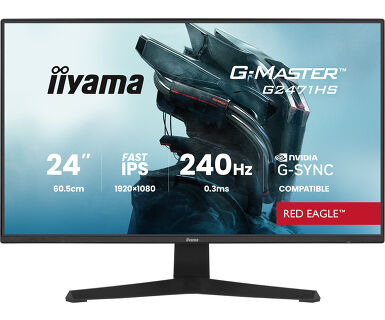


Gaming Monitor Buying Guide
Choosing the right gaming monitor can transform your experience — but the best features depend on the kind of games you play. Whether you're chasing realism in simulators or peak performance in competitive shooters, here's what to look for.
Monitors for Immersive and Open-World Games
For deeply atmospheric titles like Rust, Path of Exile 2, and Monster Hunter Wilds, you’ll want a display that pulls you into the action.
- Curved monitors boost immersion by wrapping the visuals around your field of view.
- 4K resolution or ultra-wide screens deliver crisp, expansive detail.
- OLED monitors offer stunning contrast and true blacks for cinematic experiences.
- FreeSync support ensures smooth, tear-free visuals in detailed environments.
Monitors for Competitive and Fast-Paced Games
For fast-action shooters like Counter-Strike 2, PUBG: Battlegrounds, and Apex Legends, every millisecond counts.
- Look for super-fast response times (as low as 0.02ms to 1ms) to minimise motion blur.
- A high refresh rate (ideally 165Hz to 540Hz) gives you smoother, more reactive gameplay.
- FreeSync-compatible monitors help reduce screen tearing and input lag.
Monitors for Simulation Games
Sim gamers demand realism and speed. For sim racing or flight sims, visual fidelity and smooth tracking are key.
- A curved OLED gaming monitor gives a wraparound view with rich colours and contrast.
- 4K resolution monitors reveal detailed environments and cockpit controls.
- High refresh rates and low response times maintain fluid movement.
- FreeSync monitors keep frame pacing smooth and consistent.
FreeSync vs G-Sync for Gaming Monitors
Both FreeSync (AMD) and G-Sync (NVIDIA) are adaptive sync technologies that eliminate screen tearing and reduce stutter by syncing your monitor's refresh rate with your graphics card's output. The key differences:
- FreeSync: Works with most AMD GPUs and many modern NVIDIA cards (G-Sync Compatible), usually more affordable.
- G-Sync: Designed for NVIDIA GPUs, often built into premium monitors, with stricter certification for consistent performance.
Need More Help?
Need help picking the right gaming monitor for your setup? Check out our full Gaming Monitor Buying Guide.
We cover everything you need to know, including: