


.png?width=274&height=200&scale=canvas)


.png?width=500?width=274&height=200&scale=canvas)

.png?width=274&height=200&scale=canvas)

.png?width=274&height=200&scale=canvas)


Network Attached Storage (NAS)
Explore a comprehensive range of Network Attached Storage (NAS) from leading brands including Synology, QNAP and Western Digital. Whether for home backups or business data management, our selection of NAS enclosures and drives ensures you find the perfect storage solution.

Filters & Sort


What is Network Attached Storage (NAS)?
Network Attached Storage (NAS) is a specialised file storage device connected to a network, allowing multiple users and devices to access data from one central location.
How it works
A NAS connects to your network—typically via Ethernet—and appears as a shared drive to all authorised devices, including PCs, Macs, smartphones, and smart TVs.
Key Components & Selection
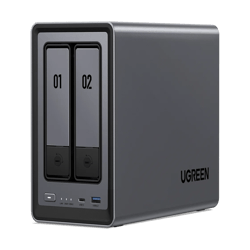
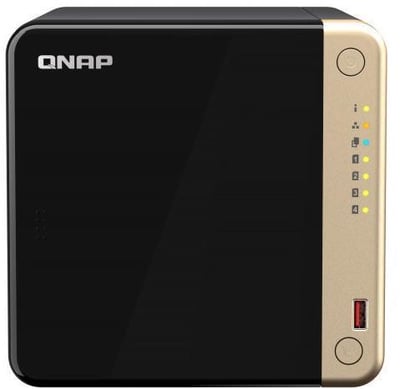
Bays: These are the slots for your drives. A 2-bay NAS is ideal for home backups; 4-bay or 8-bay systems are better for businesses or high-capacity media libraries.
- Storage Media:
- HDDs: Best for "cold storage" (massive archives, movies, backups).
- SSDs: Best for "hot data" (AI models, active databases) where speed and low latency are critical.
- OS & Hardware: Includes a dedicated CPU and RAM to manage files and permissions.
Common Applications
- Centralised Storage: A single repository for files accessible across all devices.
- Media Streaming: Serving content to TVs or mobile devices (e.g., via Plex).
- Automated Backups: A reliable, always-on target for system backups.
- Private Cloud: Secure remote access to files without relying on third-party cloud providers.
Data Protection (RAID)
Unlike external drives, NAS devices use RAID (Redundant Array of Independent Disks) to protect data. By mirroring or distributing data across multiple disks, your files remain safe even if one drive fails. Common setups include RAID 1 (simple mirroring) and RAID 5 (a balance of speed and redundancy).
NAS in AI and LLM Workflows
For AI and LLM deployments, a NAS acts as the high-capacity "central nervous system" for data and models.
- Training Data: Allows multiple GPU machines to pull from one source. 10GbE networking and NVMe SSDs are recommended to prevent bottlenecks.
- Model Storage: LLM weights (e.g., Llama 3) are huge. A NAS stores multiple versions centrally without filling up local workstation drives.
- Private Inference: Enables organisations to host models on-premise, ensuring sensitive data never leaves the internal network.
- RAG (Retrieval-Augmented Generation): Stores document libraries that can be indexed into vector databases, making your LLM's knowledge base automatically up-to-date.
The Benefits of a NAS Bundle
Buying an enclosure and drives together is the most practical route for most users.
Compatibility & Reliability
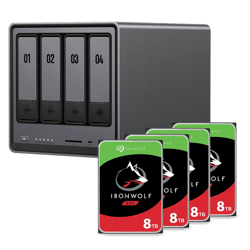
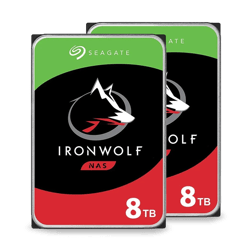
NAS drives (such as Seagate IronWolf or WD Red) are purpose-built for 24/7 operation and vibration resistance. Bundles ensure the drives are pre-certified for that specific enclosure, eliminating compatibility risks.
Value & Convenience
Bundles are generally more cost-effective than buying components separately. They simplify procurement, ensuring your hardware arrives as a complete, validated system ready for configuration.
Note: If you have highly specific capacity requirements or a brand preference, configuring your own system allows for more granular control.