

.png?width=274&height=200&scale=canvas)


.png?width=500?width=274&height=200&scale=canvas)

.png?width=274&height=200&scale=canvas)

.png?width=274&height=200&scale=canvas)

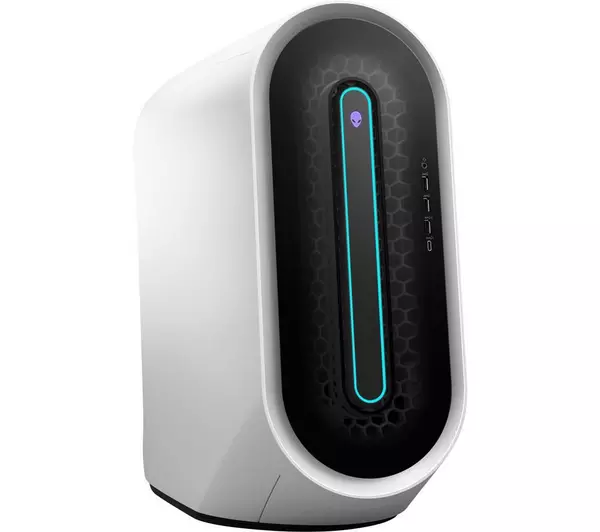
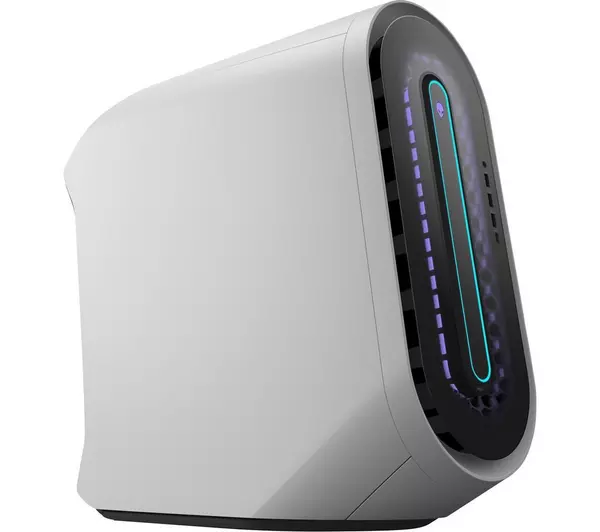
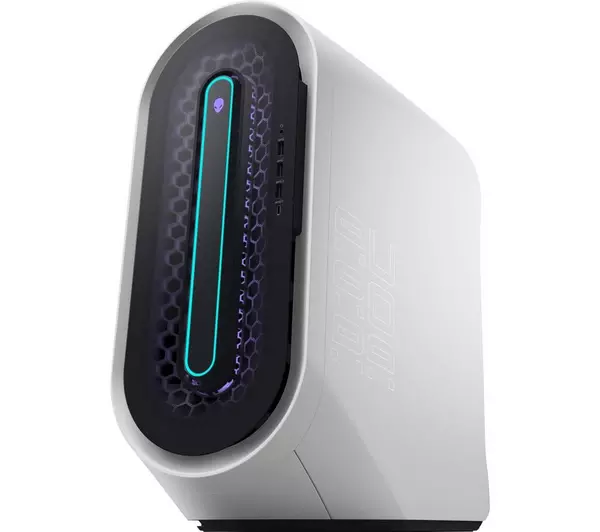
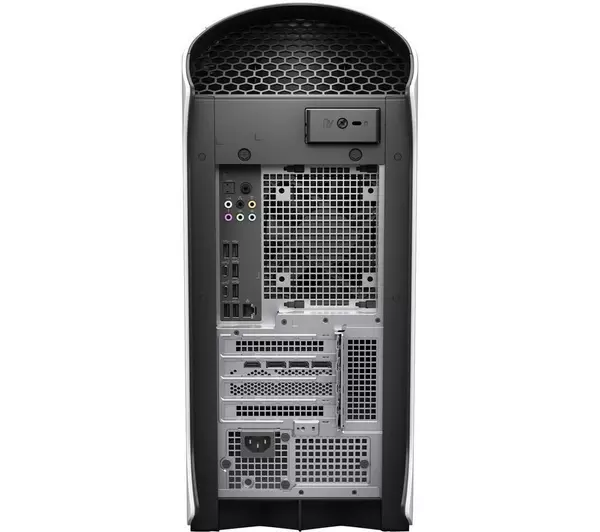
Alienware Aurora R13 PC, Intel Core i7, 16GB, RTX 3070, Windows 11

SPACIOUS INTERIOR, SUPERIOR THERMAL
Revolutionary design
Take your gaming to new heights with the Aurora R13, featuring the new Legend 2.0 design that provides a 50% increase to internal volume*. The more spacious, tool-less design improves accessibility, while enabling better cable management and quieter acoustics.
Optimized airflow
The new Legend 2.0 design prioritizes cooling via a reorganized internal layout, which in turn creates less airflow obstructions. With less obstructions, fans can provide more airflow with less effort—resulting in the performance you want and the quieter acoustics you deserve.
Upgraded thermals
Marathon gaming sessions welcome, thanks to robust thermal architecture that enables up to four system fans and different liquid cooling options. For those seeking to upgrade from the air-cooled model, there’s a choice of standard liquid cooling or an Alienware Cryo-Tech™ edition liquid cooler—available for the first time on a desktop.
COOL UNDER PRESSURE WITH CRYO-TECH™
Next-level liquid cooling:
Cryo-Tech™ delivers exactly what serious gamers crave: superior thermal performance. If that weren’t enough, when you opt for Cryo-Tech™, you’re on the receiving end of exclusive lighting features—giving you the best-looking high performance gaming experience on the market.
Superior specs:
As the next step in the evolution of cooling, Cryo-Tech™ offers gamers significant thermal advantages. It features a 120x120x30mm heat exchanger and a pump that operates at 2800 RPM. The heat exchanger is 11% larger than what’s available on our standard liquid cooling unit, while the pump’s duty cycle is 6% higher, also compared to standard liquid cooling.
Stylish aesthetics:
To play your best, you also have to look your best. It’s why Cryo-Tech™ sports an AlienFX-enabled CPU cap with a customizable Alien head and hexagon outline.
A 360-DEGREE APPROACH TO DESIGN
Designed from the inside out
Designed to look as sleek as possible, both inside and out, the Aurora desktop features an optional clear side panel that includes EMI shielding and scratch resistance. This panel offers a window into an organized, AlienFX-lit interior, where gamers can see high-performance components and the new dark motherboard—which was designed with style and efficiency, enabling cable routing that’s been laid out with purpose.
Exclusive lighting
When you opt for a configuration with a clear side panel, you get two internal AlienFX lighting zones. You can then adjust AlienFX RGB colors shining across the internals, for a personalized experience and a more dynamic appearance when gaming in a dark room.
All-around sleekness
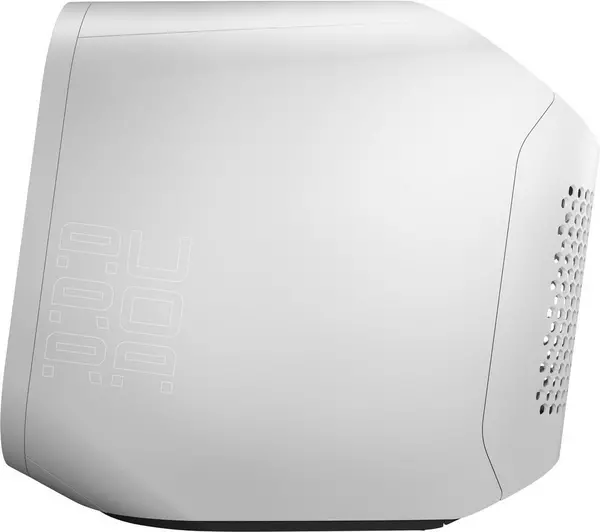
Engineered with esports in mind, where competitors are often viewed from the back of a system, the new Legend 2.0 design is meant to please the eye from every angle. The chassis is just as sleek from the rear as it is from the front, with expressive curves and an iconic sculpted shape elevating the overall aesthetic.
Max intake, max style
The evolved design of the Aurora desktop features additional air venting and lighting that reflects across the front. The honeycomb-shaped airways increase intake efficiency to maximize air movement—for a superior gaming experience.
Finishing touches
Thanks to doors on either side of the new chassis—and an optional magnetic back door—you can now easily access and swap out components on your Aurora desktop. Ports are positioned on the front and rear for ease of use, while powder coated parts deliver a smooth, seamless contour.
IMPRESSIVE GRAPHICS, EASY CUSTOMIZATION
Aurora desktops offer and support graphics spanning from NVIDIA® GeForce RTX 30-series through AMD Radeon RX 6000 series graphics. Plus, graphics upgrades continue to be tool-less, for quick and easy tinkering.
Performance boost
Using AI rendering, NVIDIA® Deep Learning Super Sampling (DLSS)* delivers a massive performance boost at the same power when compared to other graphics cards at similar resolutions.
Heightened efficiency
NVIDIA’s 2nd Gen RTX graphics cards come with the building blocks for incredibly fast and efficient GPUs. The all-new NVIDIA® Ampere Streaming Multiprocessors (SM)* bring higher throughput, allowing for faster data processing while offering improved power efficiency.*
Beautiful visuals
Experience superior image quality with low performance impact, thanks to AMD Radeon™ Image Sharpening and the intelligent contrast-adaptive sharpening algorithm that it uses to produce crisp and detailed visuals.*
Improved responsiveness
Designed to help reduce input lag in GPU-limited cases, Radeon™ Anti-Lag controls the pace of the CPU’s work to ensure it doesn't get too far ahead of the GPU. If needed, Radeon™ Anti-Lag can shrink input lag by almost a full frame, restoring responsiveness to your game.*
CUTTING-EDGE TECH, THE LATEST FROM INTEL®
Powerhouse processors
When it comes to processors, all gamers want the latest and greatest. The R13 satisfies that itch, with 12th Gen Intel® Core™ processors that help to ensure everything you do with your PC runs quickly and efficiently—options range from i7 to i9K for intense CPU overclocking.
DDR5 memory upgrade
The fastest memory class for gaming PCs is now available on the R13, providing a 50% increase in memory bandwidth over the Aurora R12. This means you can play, stream and multi-task with more ease than ever.
New graphics architecture
Equipped with new PCI-Express 5.0 slots for graphics, the R13 provides double the capable data transfer rates from the previous generation. Plus, PCI-Express 5.0 allows you to keep your graphics card updated—giving you confidence in your rig, knowing it can compete today and tomorrow.
Reaching SuperSpeed
This Aurora model introduces SuperSpeed USB 20Gbps—which as the name implies—allows up to 20Gbps to be transferred. That’s TWICE as fast as USB 3.2 Gen 2 10Gbps and FOUR times as fast as USB 3.2 Gen 1 5Gbps—so you can transfer games or media collections to external storage faster than ever.
Higher-rated power
When it comes to efficiently delivering and maintaining power to your PC, the Aurora R13 is hard to beat, offering up to an optional 750W Platinum-rated PSU. By opting for a higher-rated PSU, you’ll be helping to ensure that your machine is well-equipped for the most demanding of scenarios and for the most power-hungry of upgrades.
Killer Networking
Ensure a premium gaming experience with Killer Double Shot technology, which consists of Killer Ethernet (E3100 2.5Gbps) and Killer Wi-Fi (6/6E) combined with software that automatically prioritizes network traffic according to where latency matters most.
A WORLD OF RICH AND SMOOTH VISUALS
More real than ever:
Alienware’s raytracing technology brings games to life with the most realistic renderings of reflections, lights and shadows. To enjoy this immersive raytracing experience, we recommend you pair your new desktop with the Alienware 27 Gaming Monitor (AW2721D)—a 27" monitor prized for its 240Hz refresh rate, QHD resolution and NVIDIA® G-SYNC™ ULTIMATE certification.
Smooth gaming wins:
Experience the smoothest gameplay when you match your graphics card to one of our monitors that supports adaptive sync technology. With the help of NVIDIA® G-SYNC® ULTIMATE, AMD FreeSync™ Premium, NVIDIA® G-SYNC® and NVIDIA® G-SYNC® compatible monitors, you can reduce screen tearing, produce fluid high-speed graphics, minimize display stutter and reduce input lag.
World-class reflexes:
Pair your R13 with the Alienware 25 Gaming Monitor (AW2521H) to experience blisteringly fast 360Hz refresh rates and the NVIDIA® Reflex Latency Analyzer, which allows you to measure system latency—accurately analyzing how your system responds to your actions.