

.png?width=274&height=200&scale=canvas)


.png?width=274&height=200&scale=canvas)


.png?width=500?width=274&height=200&scale=canvas)

.png?width=274&height=200&scale=canvas)

.png?width=274&height=200&scale=canvas)


NAS Enclosures
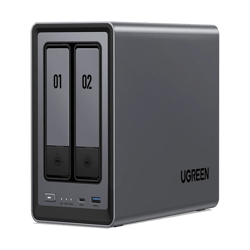
A NAS enclosure is the hardware "brain" and chassis of your network storage system. It houses the drives, the processor, and the operating system, providing the connectivity and management tools needed to turn raw hard drives into a smart, network-accessible storage hub.

Filters & Sort
Loading...

£317.99
ADD TO BASKET
.jpg)
£169.99
ADD TO BASKET

£449.99
ADD TO BASKET
.jpg)
£518.99
ADD TO BASKET

£285.99
ADD TO BASKET

£253.99
ADD TO BASKET
£657.99
ADD TO BASKET

£679.99
ADD TO BASKET

£690.99
ADD TO BASKET

£553.99
ADD TO BASKET

£1,240.99
SAVE £119
ADD TO BASKET

£541.99
ADD TO BASKET

£1,332.99
ADD TO BASKET

£199.99
ADD TO BASKET

£152.99
ADD TO BASKET

£507.99
SAVE £171
ADD TO BASKET

£1,041.99
ADD TO BASKET

£169.99
ADD TO BASKET

£1,887.99
ADD TO BASKET

£1,980.99
SAVE £549
ADD TO BASKET

£1,125.99
SAVE £434
ADD TO BASKET

£1,398.99
ADD TO BASKET

£471.99
ADD TO BASKET

£898.99
SAVE £136
ADD TO BASKET
£317.99
ADD TO BASKET
£169.99
ADD TO BASKET
NUMBER OF BAYS: 4
MAX DRIVE CAPACITY: 18TB
ACCEPTS 3.5"" HARD DRIVES
DESKTOP FORM FACTOR
£449.99
ADD TO BASKET
£518.99
ADD TO BASKET
£285.99
ADD TO BASKET
NUMBER OF BAYS: 2
MAX DRIVE CAPACITY: 18TB
ACCEPTS 3.5"" HARD DRIVES
DESKTOP FORM FACTOR
£253.99
ADD TO BASKET
NUMBER OF BAYS: 4
MAX DRIVE CAPACITY: 18TB
ACCEPTS 3.5"" HARD DRIVES
DESKTOP FORM FACTOR
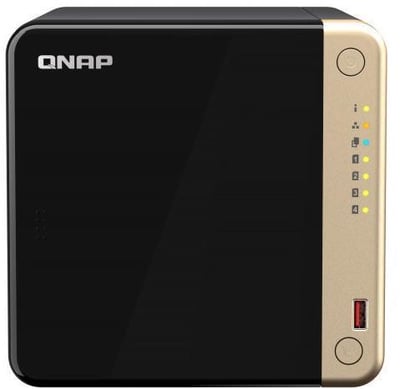
£657.99
ADD TO BASKET
£679.99
ADD TO BASKET
NUMBER OF BAYS: 4
MAX DRIVE CAPACITY: 18TB
ACCEPTS 3.5"" HARD DRIVES
DESKTOP FORM FACTOR
£690.99
ADD TO BASKET
NUMBER OF BAYS: 2
MAX DRIVE CAPACITY: 18TB
ACCEPTS 3.5"" HARD DRIVES
DESKTOP FORM FACTOR
£553.99
ADD TO BASKET
NUMBER OF BAYS: 6
DESKTOP FORM FACTOR
£1,240.99
SAVE £119
ADD TO BASKET
£541.99
ADD TO BASKET
NUMBER OF BAYS: 8
MAX DRIVE CAPACITY: 200TB
MAX TOTAL CAPACITY: 8TB
DESKTOP FORM FACTOR
£1,332.99
ADD TO BASKET
NUMBER OF BAYS: 2
MAX DRIVE CAPACITY: 18TB
DESKTOP FORM FACTOR
£199.99
ADD TO BASKET
NUMBER OF BAYS: 1
MAX DRIVE CAPACITY: 18TB
DESKTOP FORM FACTOR
£152.99
ADD TO BASKET
NUMBER OF BAYS: 2
MAX DRIVE CAPACITY: 18TB
ACCEPTS 3.5"" HARD DRIVES
DESKTOP FORM FACTOR
£507.99
SAVE £171
ADD TO BASKET
NUMBER OF BAYS: 4
DESKTOP FORM FACTOR
£1,041.99
ADD TO BASKET
NUMBER OF BAYS: 1
MAX DRIVE CAPACITY: 18TB
ACCEPTS 3.5"" HARD DRIVES
DESKTOP FORM FACTOR
£169.99
ADD TO BASKET
NUMBER OF BAYS: 12
MAX DRIVE CAPACITY: 16TB
DESKTOP FORM FACTOR
£1,887.99
ADD TO BASKET
NUMBER OF BAYS: 8
MAX DRIVE CAPACITY: 324TB
DESKTOP FORM FACTOR
£1,980.99
SAVE £549
ADD TO BASKET
NUMBER OF BAYS: 4
MAX DRIVE CAPACITY: 18TB
RACKMOUNT FORM FACTOR
£1,125.99
SAVE £434
ADD TO BASKET
NUMBER OF BAYS: 8
MAX DRIVE CAPACITY: 14TB
MAX TOTAL CAPACITY: 108TB
ACCEPTS 2.5 & 3.5" HARD DRIVES
£1,398.99
ADD TO BASKET
NUMBER OF BAYS: 5
MAX DRIVE CAPACITY: 12TB
DESKTOP FORM FACTOR
£471.99
ADD TO BASKET
NUMBER OF BAYS: 4
MAX DRIVE CAPACITY: 18TB
RACKMOUNT FORM FACTOR
£898.99
SAVE £136
ADD TO BASKET
Key Considerations When Choosing an Enclosure
- Bay Count: The number of available drive slots.
- 2-Bay: Ideal for home users and basic backups.
- 4-Bay to 8-Bay: Best for power users, creative professionals, and SMBs.
- Enterprise/Rackmount: Designed for data centres and large-scale business infrastructure.
- CPU & RAM: Higher specs allow the enclosure to handle more simultaneous users, run more apps (like Plex or Docker), and manage larger RAID arrays without slowing down.
- Connectivity: Look for Gigabit Ethernet as standard. For AI, 4K video editing, or business environments, enclosures with 10GbE support are essential to avoid network bottlenecks.
- Drive Support: Ensure the enclosure supports the drive types you need, such as 3.5" HDDs for capacity or M.2 NVMe slots for high-speed caching.
Core Functionality
- RAID Management: The enclosure’s OS manages how data is spread across drives to provide redundancy (protection against drive failure).
- User Access: Create multiple user accounts with specific permissions, ensuring only authorised staff or family members can access certain folders.
- App Ecosystem: Modern enclosures (like those from Synology or QNAP) function like mini-servers, allowing you to install apps for surveillance, cloud syncing, and media management.
Enclosures for AI and LLM Workflows
When selecting an enclosure for AI workloads, the hardware specifications become critical to ensure the storage doesn't bottleneck your GPUs.
- High-Speed Throughput: Prioritise enclosures with 10GbE or 25GbE networking to move massive training datasets rapidly.
- NVMe Caching: Choose enclosures with dedicated M.2 slots. Using NVMe SSDs as a "cache" significantly speeds up the retrieval of LLM weights and small-file random reads.
- Virtualisation Support: Look for enclosures with sufficient RAM and CPU power to run Docker or Virtual Machines, allowing you to host AI orchestration tools directly on the NAS.
Enclosure-Only vs. Bundles
Purchasing an enclosure separately gives you total control over your storage strategy.
Why buy an enclosure only?
- Custom Capacity: You can choose the exact drive size (e.g., mixing different capacities or using specific enterprise-grade disks) to fit your exact budget and needs.
- Existing Hardware: Ideal if you already own compatible NAS-grade drives.
- Specific Performance Targets: Allows you to mix and match HDDs for bulk storage with SSDs for high-performance tiers.
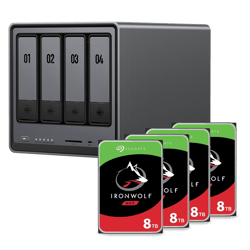
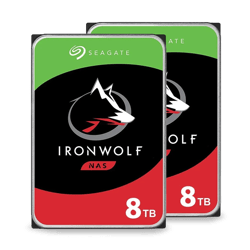
- A note on drives: If buying an enclosure separately, remember that standard desktop hard drives are not designed for 24/7 operation. Always pair your enclosure with NAS-optimised drives (such as Seagate IronWolf or WD Red) to ensure stability and maintain your warranty.