


.png?width=274&height=200&scale=canvas)


.png?width=500?width=274&height=200&scale=canvas)

.png?width=274&height=200&scale=canvas)

.png?width=274&height=200&scale=canvas)

Windows 7 Boot Problem "The system found unauthorized changes on the firmware, operating system or UEFI drivers"
November 25, 2016 by Dan Le Vannais

We've noticed a number of our customers contacting us over the last week reporting that their computers will no longer start and this appears to be in conjunction with a recent software update downloaded from Windows Update. Specifically, it seems to only affect computers running Windows 7 with ASUS motherboards, where the Secure Boot option is turned on. Whilst we've only had this confirmed on ASUS motherboards other manufacturers also use Secure Boot and may also have similar problems.
On turning the computer on, users are presented with a black screen with text stating
"The system found unauthorized changes on the firmware, operating system or UEFI drivers"
and a prompt to enter the BIOS. The problem is caused by the Secure Boot setting of the BIOS - this is only really intended to be used with Windows 8 or later, and it's recommended for it to be turned off for Windows 7 but will be active by default. Thankfully it's very easy to change this setting and get the computer back up and running again.
First, you need to enter the computer's BIOS. This can be done by either following the prompt when receiving this message or by tapping the delete key on the keyboard when turning the computer on. Once you're on the ASUS BIOS screen, press F7 to enter advanced mode and navigate to the 'Boot' tab.

Scroll down to near the bottom of the list and you should see the Secure Boot option. Highlight it and press enter. This will open a new screen. On this screen, select the OS Type option and press enter, which will pop up a small dialog box with two options. It should currently be set to Windows UEFI mode, instead select Other OS and press enter.
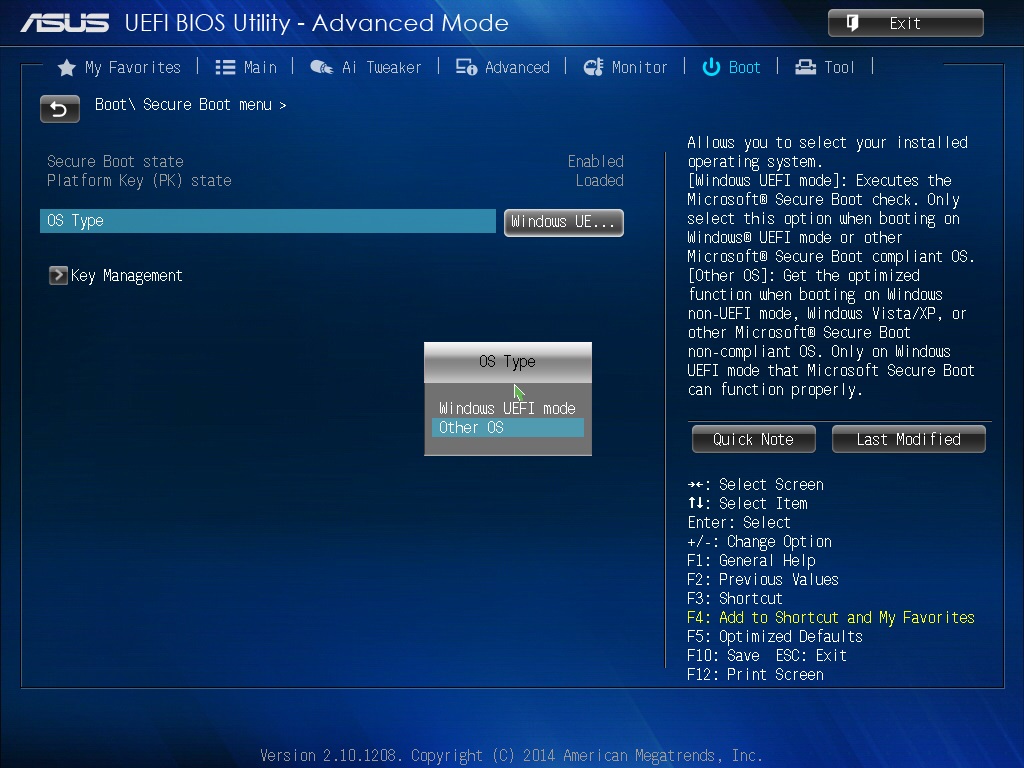
With this done, all you then need to do is press F10 to save and exit, you'll get another box pop up showing the changes that you've made and just select yes. The computer will then restart.

With this change made, the error message should then be gone and the computer will load normally again.
While the location of the BIOS options will vary depending on the manufacturer, if you are having this issue with a different brand of motherboard changing the Secure Boot option like this should fix the problem in the same way.

Our Choose Your Own Case option gives you expert-spec'd internals with the freedom to pick the chassis that fits your setup—so your next PC performs brilliantly and looks exactly how you want it.
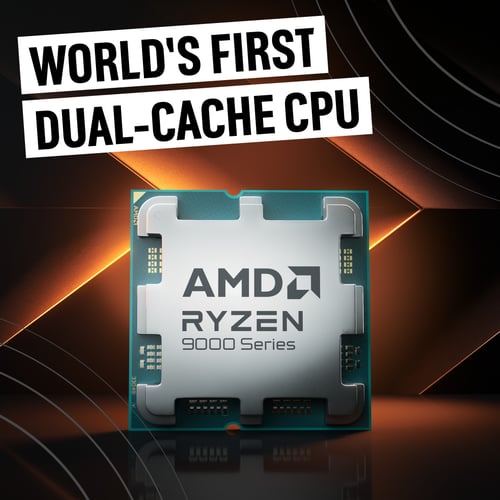
AMD has done the unthinkable — stacked 3D V-Cache on both chiplets — and the Ryzen 9 9950X3D2 Dual Edition is the result: a chip built for gamers, creators, and developers who want the full scope of PC processing possibilities.

PRAGMATA is almost here: Why Palit RTX 5070 GPUs are the smart upgrade
Elevate your rig with the Palit RTX 5070 GPU. PRAGMATA is almost here, and the smart upgrades begin now!

Stop waiting — Why now is the right time to buy an NVIDIA RTX 50-series GPU
Upgrade with confidence using NVIDIA’s RTX 50 Series. Discover Blackwell architecture, DLSS 4 performance gains, improved efficiency, and why now—not later—is the best time to invest in a future-ready GPU.