
.png?width=274&height=200&scale=canvas)


.png?width=500?width=274&height=200&scale=canvas)

.png?width=274&height=200&scale=canvas)

.png?width=274&height=200&scale=canvas)

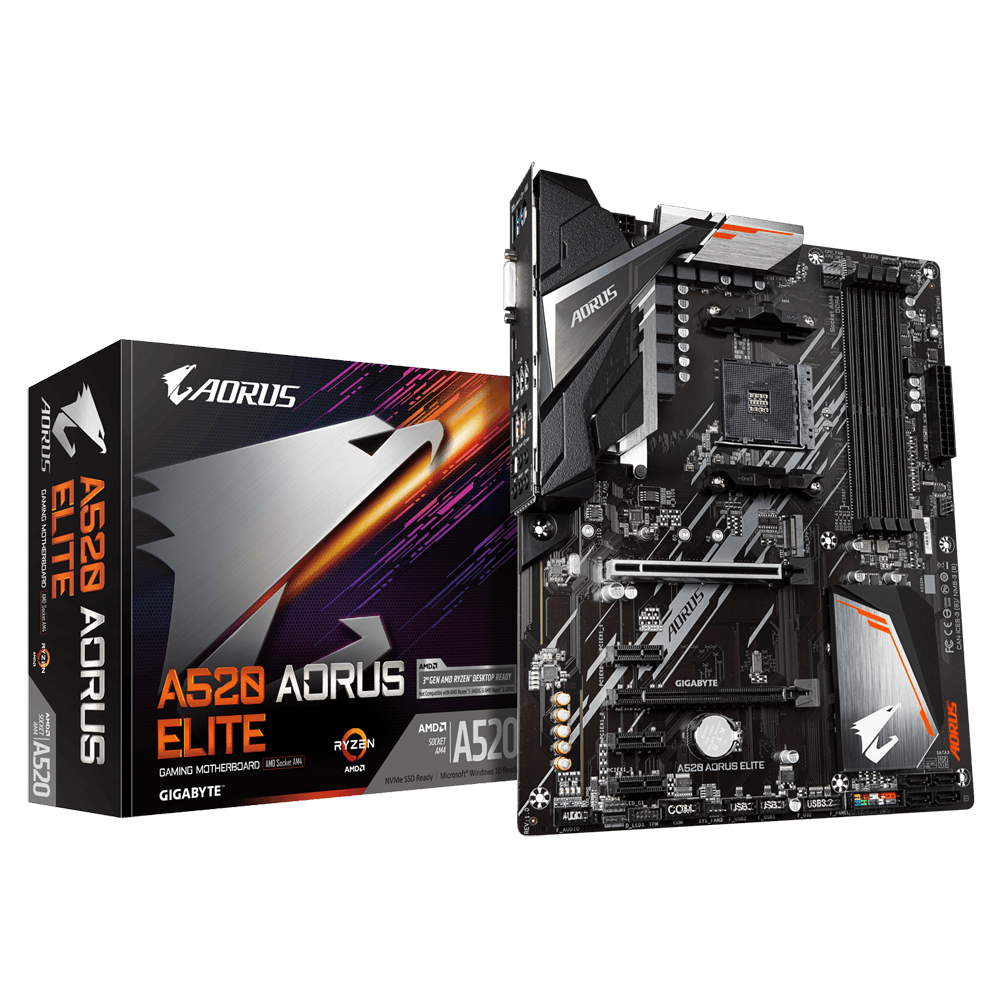
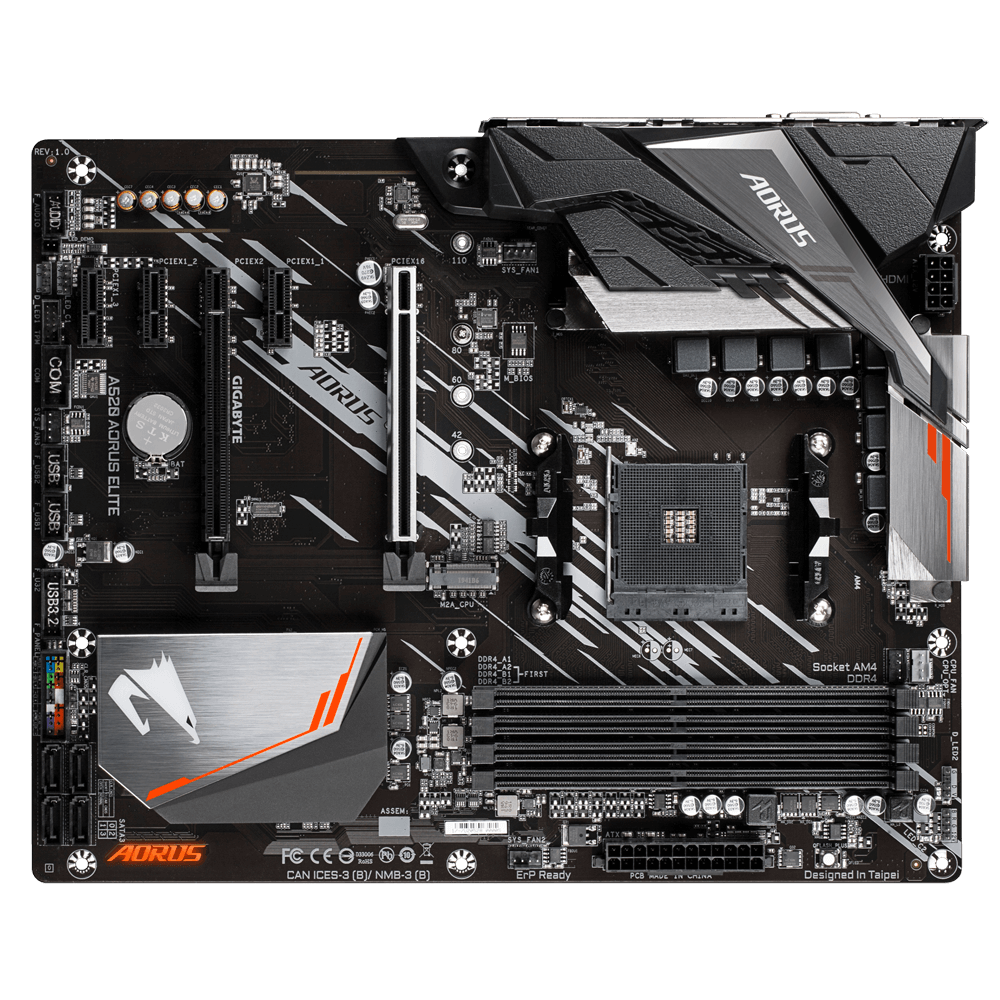
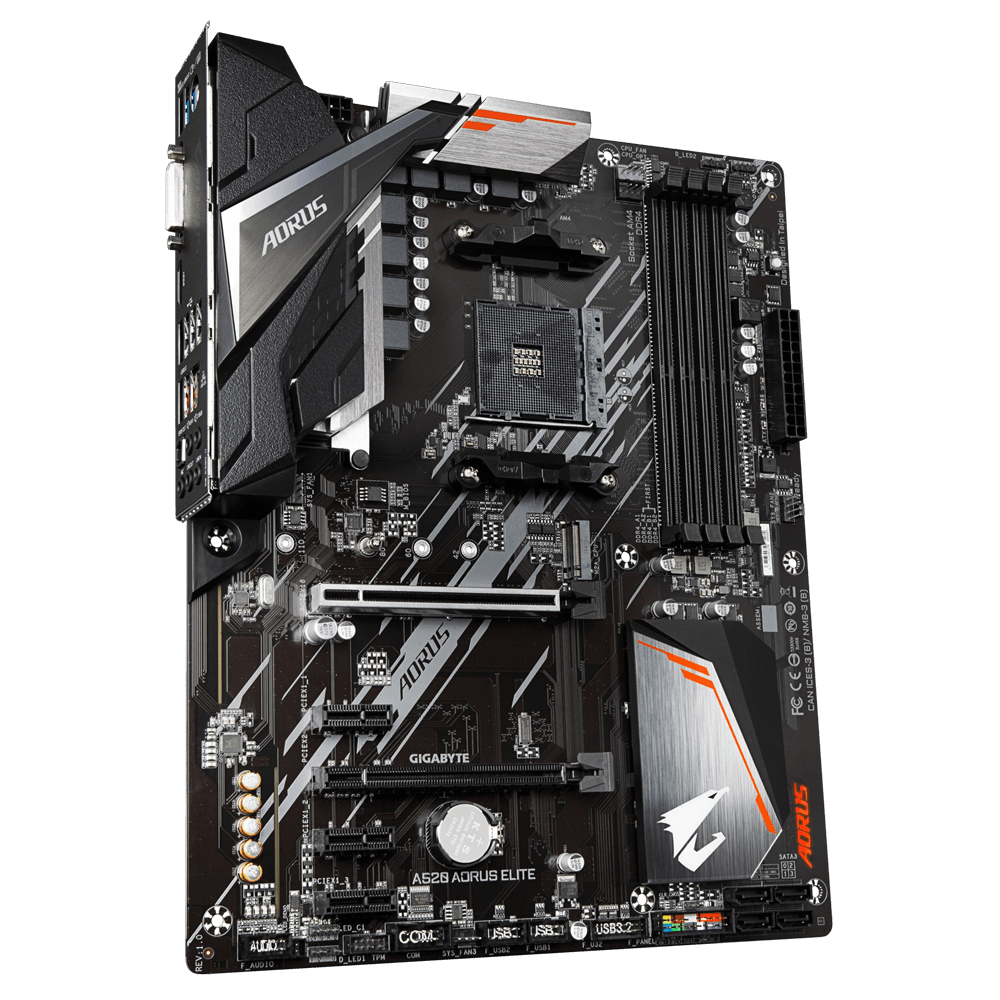
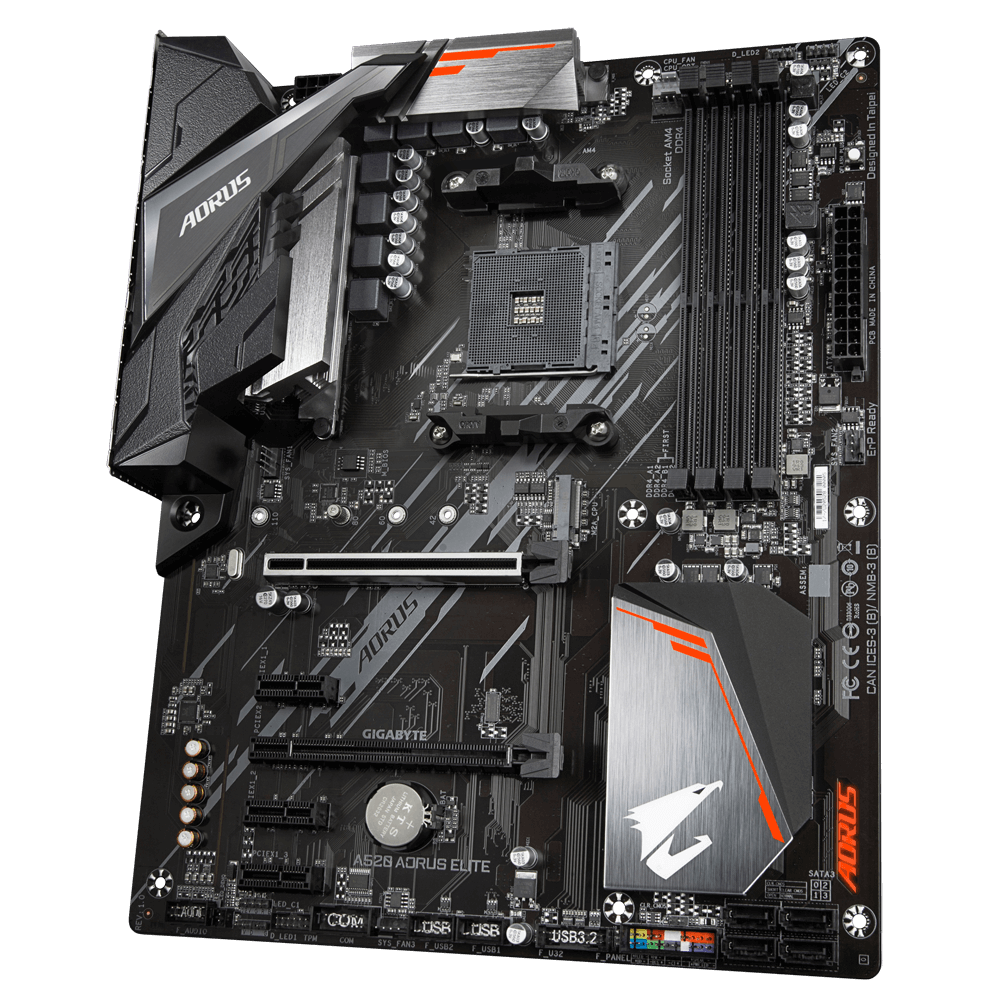
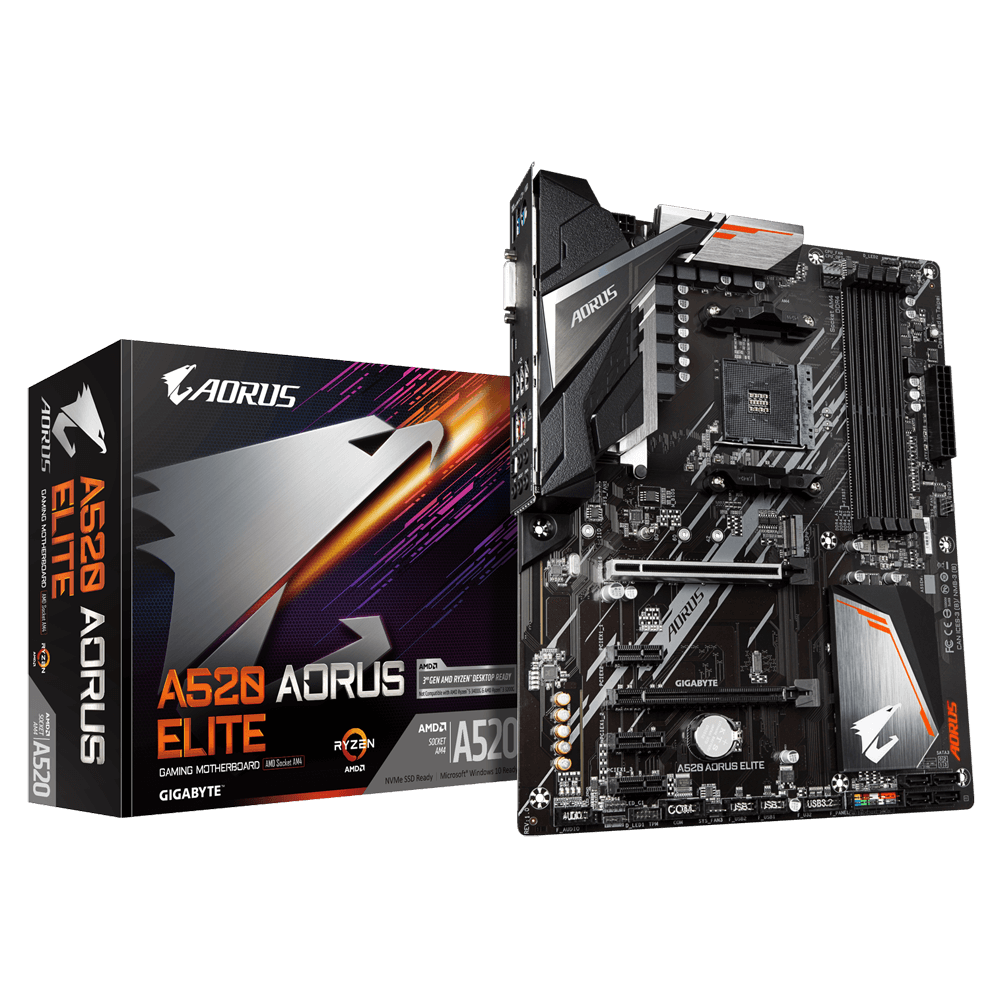
Gigabyte A520 AORUS ELITE ATX Motherboard for AMD AM4 CPUs

The AORUS Core is inspired by the falcon's aggressive nature and hunting prowess. The falcon uses its razor sharp talons to swiftly strike down its prey with exceptional efficiency and precision, qualities that are exemplified in the fine details of AORUS design.
Performance
5+3 Phases Pure Digital VRM Solution with Low RDS(on) MOSFETs
GIGABYTE AORUS series motherboards use a 5+3 phases pure digital PWM + Low RDS(on) MOSFETs design to support the 3rd Gen AMD Ryzen™ CPUs by offering incredible precision in delivering power to the motherboard's most power-hungry and energy-sensitive components as well as delivering enhanced system performance and ultimate hardware scalability.
NVMe PCIe 3.0 x4 M.2 Connector (Up to 32 GB/s)
AORUS Gaming Motherboards are focused on delivering M.2 technology to enthusiasts who want to maximize their system's potential.
The Industry's Leading LAN Static-Electricity & Surge Protection
GIGABYTE motherboards use ICs with up to 3 times the ESD resistance levels compared to traditional ICs. This helps to better protect the motherboard and its components against potential damage caused by static electricity. GIGABYTE motherboards also feature special anti-surge ICs that protect your motherboard and your PC from any surge in power delivery that may occur, ensuring that your PC is equipped to deal with any potentially irregular and inconsistent power delivery.
Connectivity
Exclusive Realtek 8118 Gaming LAN
High Speed Gigabit LAN with Automatic Bandwidth Allocation
Realtek 8118 LAN is a high performance and friendly network chip for gaming players with automatic bandwidth allocation to ensure the highest network priority of the game or application. It can provide users the most comprehensive features and the fastest and smoothest Internet experience.
HDMI 2.1 for 4K / 60P / 21:9 / HDCP 2.3 Support
HDMI 2.1, which is backwards compatible with HDMI 2.0/ 1.4 and offering 48 Gb/s of bandwidth – twice times more than previous generation. This unlocks the potential for users to transfer multiple video streams, as well as a native cinematic 21:9 ratio (which most movies are shot in), Full HDR and HDCP 2.3 support, to offer the best visual experience for viewers.
Note: Only New Gen AMD Ryzen™ with Radeon™ Graphics processors support displaying function.
Native USB 3.2 Gen2
AMD A520 chipset provides native USB 3.2 Gen2 ports with speeds up to 10Gbps. Available over the USB Type-A connector, the USB3.2 Gen2 is much improved with twice the bandwidth compared to its previous generation as well as backwards compatibility with USB2.0 and USB3.2 Gen1.
Cooling
Smart Fan 5
With Smart Fan 5 users can ensure that their gaming PC can maintain its performance while staying cool. Smart Fan 5 allows users to interchange their fan headers to reflect different thermal sensors at different locations on the motherboard. Not only that, with Smart Fan 5 more hybrid fan headers that support both PWM and Voltage mode fans have been introduced to make the motherboard more liquid cooling friendly.
Fan Stop
Achieve fan silence. With Fan Stop, map any fan to stop completely when temperatures drop below a specified threshold. Which fan stops, based on readings from which sensor, and at what temperature—all of it can be customized to your liking.
Hybrid Fan Pin Headers
Assume complete control over your liquid cooling setup! Smart Fan 5 receives up-to-the-second information on flow-rate through the Hybrid Fan Pin Headers—giving you absolute mastery over your PC.
All Hybrid Fan Headers can automatically detect the type of cooling device whether it be fan or pump with different PWM or Voltage mode.
Lighting
Multi-Zone Light Show Design
Now offering more LED customizations than ever, users can truly adapt their PC to represent their lifestyle. With full RGB support and a redesigned RGB Fusion 2.0 application, the user has complete control over the LEDs which surround the motherboard.
Note: Lighting effects depicted are for demonstration purposes only. Actual lighting effects may vary by model.
RGB Fusion 2.0 Software
With an integrated intuitive user interface, the RGB Fusion 2.0 provides you a better solution for customizing the lighting effects across all supported devices. From motherboards, graphics cards to the peripheral products, you can personalize your gaming rig with your own style and show off your build by sharing the profiles. In addition, the new gaming mode makes the lighting effects interactive with selected games to bring you the most immersive gaming experience.
GIGABYTE RGB Fusion APP
Don't just make your PC shine, make it a work of art that friends will envy. With the GIGABYTE RGB Fusion mobile app users can watch as they control the lighting within their gaming PC. This gives users ease of access as they try and adjust colors and speeds for different modes, all this can be achieved away from the keyboard and monitor of their PC.
Audio
High-End Audio Capacitors
GIGABYTE motherboards use high-end audio capacitors. These high quality capacitors help deliver high resolution and high fidelity audio to provide the most realistic sound effects for gamers.
Audio Noise Guard
GIGABYTE motherboards feature an audio noise guard that essentially separates the board’s sensitive analog audio components from potential noise pollution at the PCB level.
Ultra Durable
Q-Flash Plus
Update the BIOS easily without installing the CPU, memory and graphics card.
With GIGABYTE Q-Flash Plus, you don’t need to install the CPU, memory and graphics card nor enter the BIOS menu to flash the BIOS. Just download and save a new BIOS file (rename to gigabyte.bin) on the USB flash drive, then press the dedicated Q-Flash Plus button and you’re good to go!
Ultra Durable™ PCIe Armor
Industry Leading Ultra Durable™ PCIe Armor
The innovative one piece stainless steel shielding design from GIGABYTE reinforces the PCIe connectors to provide the extra strength required to support heavy graphics cards.
Solid Pin Power Connectors
A520 AORUS motherboards feature solid plated ATX 12V 8pin power connectors to offer a stable power supply during CPU overloading.
Solid Pin Power connector advantages
- Larger contact area for electricity
- More metal quantity to sustain higher power and generated heat
- Ultra durable and longer lifespan
START SULFURIZATION PROTECTION
Sulfur compounds in the air can penetrate tiny onboard resistors creating chemical change and causing these resistors to open or short. If either of these occurs the motherboard will fail to function. By equipping resistors with an Anti-Sulfur Design GIGABYTE gives Ultra Durable Motherboards a whole new meaning.
Gigabyte Excellence
BIOS
- New User Interface - All new EASY MODE shows important hardware information in one page including CPU clock, Memory, Storage, Fan.
- My Favorites - Add constantly used items into the favorite menu for quick access.
- Storage Information - Show all kinds of storage information including SATA, PCIE and M.2 interface.
- Changelog - List all changes before saving and exiting bios. Quickly review overall settings modification.
- Intuitive Load Line Curve - Clearly show each loadline calibration setting in an intuitive curve graph.
APP CENTER
GIGABYTE APP CENTER is a useful portal of all GIGABYTE MB utilities and drivers, you can choose any utility you want to install from APP CENTER and keep updated with the latest utilities and drivers version.
EasyTune™
GIGABYTE's EasyTune™ is a simple and easy-to-use interface that allows users to fine-tune their system settings or adjust system and memory clocks and voltages in a Windows environment. With Smart Quick Boost, one click is all it takes to automatically overclock your system, giving an added performance boost when you need it the most.
@BIOS
The GIGABYTE @BIOS app allows you to update your system's BIOS from within Windows using a simple and slick graphical user interface. @BIOS can automatically download the latest version from the GIGABYTE servers or you can update your BIOS from a file on your computer. @BIOS also allows you to save your current BIOS to a file, recover your previous BIOS from an image and backup your BIOS to an image.
System Information Viewer
GIGABYTE System Information Viewer is a central location that gives you access to your current system status. Monitor components such as the clocks and processor, set your preferred fan speed profile, create alerts when temperatures get too high or record your system's behavior; these are the possibilities of the System Information Viewer.
CPU
- Installed Processors (Max): 0 (1)
- Supported Processor Manufacturer: AMD
- Supported Processors: 3rd Generation AMD Ryzen processors/ 3rd Generation AMD Ryzen with Radeon Graphics processors
- 64-bit Support: Yes
- Socket: AM4
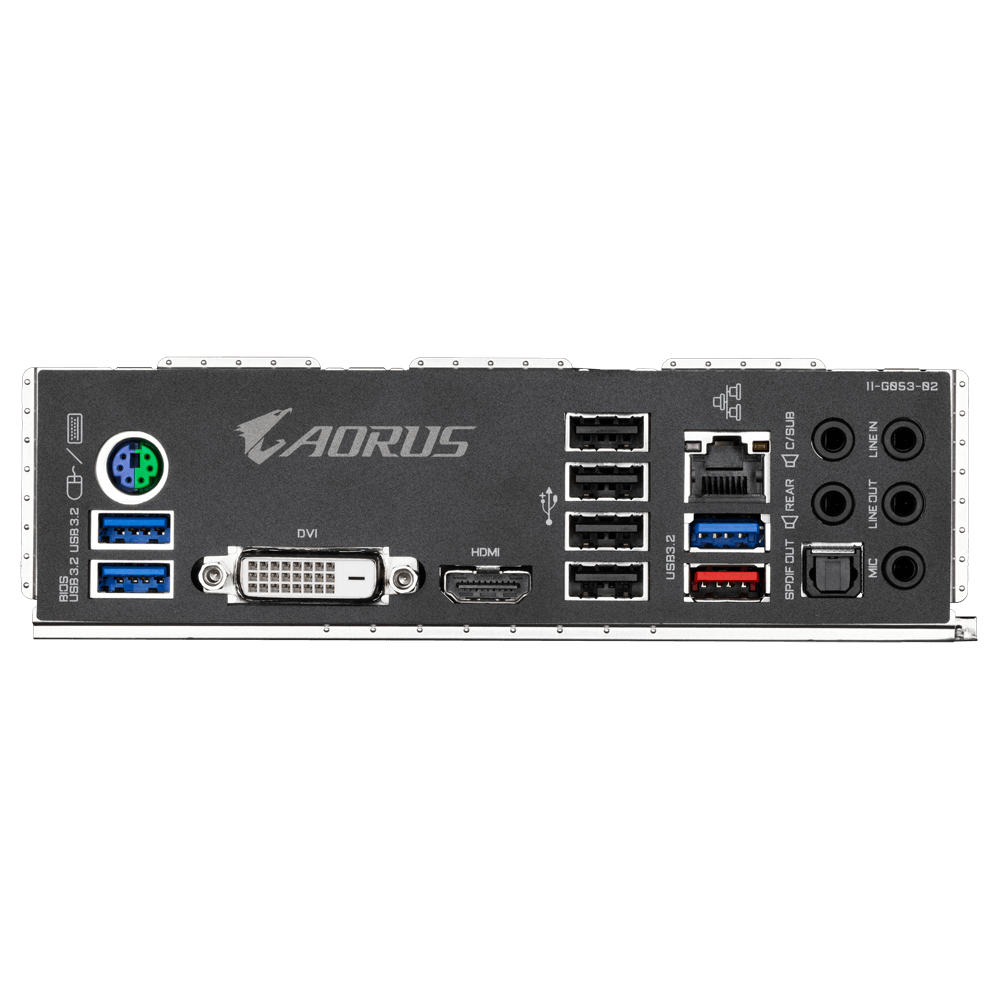
Rear Panel I/O Ports
- USB Ports: 1 x USB 3.1
- 3 x USB 3.0
- 4 x USB 2.0
- HDMI Port: 1 x HDMI 2.1
Internal I/O Connectors
- SATA Connectors: 4 x SATA III
- USB Connectors: 1 x USB 3.0 header (supports 2 ports)
- 2 x USB 2.0 headers (supports 4 ports)
Memory
- Memory Bus Speed: 4733(O.C.) / 4600(O.C.) / 4400(O.C.) / 4000(O.C.) / 3600(O.C.) / 3333(O.C.) / 3200 / 2933 / 2667 / 2400 / 213 MHz
- Memory Type: DDR4
Motherboard
- Chipset Manufacturer: AMD
- Northbridge: A520
- RAID Supported: Yes
- RAID Format: RAID 0, 1, 10
- SATA Supported: Yes
Rear Panel I/O Ports
- Keyboard/Mouse Combo Port: 1 x PS/2
- RJ-45 Ports: 1 x RJ-45
- Digital Port: 1 x DVI-D Dual Link
- Audio Line In Ports: 1 x 3.5mm Jack
- Audio Line Out Ports: 3 x 3.5mm Jacks
- Microphone In Port: 1 x 3.5mm Jack
- S/PDIF Port: 1 x S/PDIF Optical Out
Internal I/O Connectors
- Front Panel Connectors: 1 x Front Panel
- 1 x Front Audio
- Cooling Fan Support: 1 x CPU fan header
- 1 x Water Cooling CPU fan header
- 3 x System fan headers
- Serial Connectors: 1 x COM header
- TPM Header: 1 x TPM header (2x6 pin, for the GC-TPM2.0_S module only)
- Power Connector Port: 1 x 20+4-pin ATX
- 1 x 4+4-pin EPS
- Other Connectors: 1 x M.2, Socket 3, M Key (Type 2242/2260/2280/22110)
- 2 x ARGB LED headers
- 2 x RGB LED headers
Expansion
- Number of PCI Express Slots: 2 x PCI Express 3.0 x16 (@ x16, x2)
- 3 x PCI Express 3.0 x1
Memory
- Maximum RAM: 128 GB
- Memory Slot: 4 x DIMM
Graphics Device
- Integrated Graphics Supported: Yes
Sound
- Integrated Sound: Realtek ALC1200
Warranty
- Warranty: 3 Years
Network
- Integrated Network: Realtek GbE
- Network Speeds Supported: 10/100/1000 Mbps
- Wireless LAN: No
- Bluetooth: No
System Requirements
- Operating Systems Supported: Microsoft Windows 10 64-bit
System
- BIOS: 1 x 128 Mbit flash
- Use of licensed AMI UEFI BIOS
- PnP 1.0a, DMI 2.7, WfM 2.0, SM BIOS 2.7, ACPI 5.0
- Jumpers: 1 x Clear CMOS
- Software Included: Yes
- Drivers: Yes
Physical
- Form Factor: ATX Motherboard
- Width: 305 mm
- Length: 244 mm
Identifiers
- Stock Code: MBD2932
- Mfg Code: A520 AORUS ELITE
Warranty
- Warranty: 3 Years